Dashboard Features
The Lumea Dashboard offers a rich set of features designed to help you build, deploy, and monitor your AI workflows. This page provides an overview of the key features available.
Workflow Management
Workflow List
The workflow list provides a comprehensive view of all your AI workflows in one place:
- View all workflows with status indicators
- Filter workflows by status, type, or custom tags
- Quick access to recently viewed workflows
- Create new workflows with a single click

Workflow Details
Each workflow has a detailed view that allows you to:
- View workflow configuration and parameters
- Monitor current status and health
- Access execution history and logs
- View performance metrics and cost data
Run History and Monitoring
Recent Runs
Track the execution history of your workflows:
- View timestamps, duration, and status for each run
- Filter runs by status or time period
- Drill down into specific runs for detailed analysis

Evaluation Runs
Monitor the performance of your evaluation metrics:
- Track evaluation metrics over time
- Compare performance across different workflow versions
- Identify performance regressions quickly

Monitoring and Logging
Real-time Logs
Access detailed logs for each workflow execution:
- Stream logs in real-time with auto-refresh capability
- Filter logs by severity level or component
- Search logs for specific terms or patterns
Cost Tracking
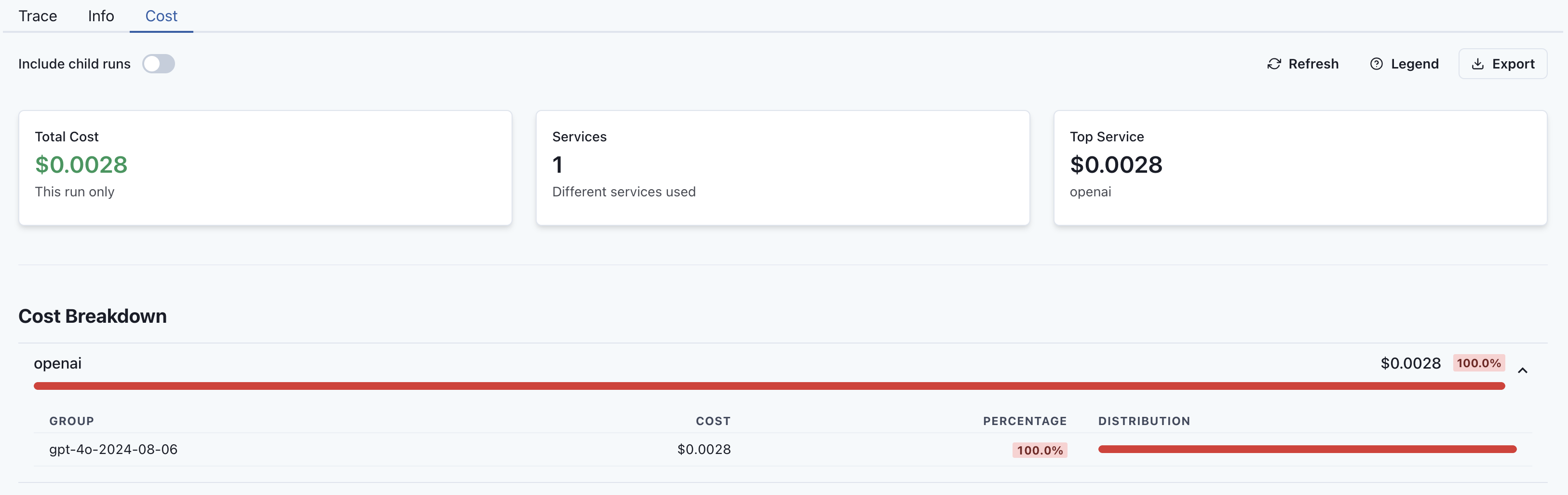
Monitor and manage the costs associated with your workflows:
- View cost breakdowns by workflow, component, or time period
- Track usage metrics like tokens, requests, and compute time
- Set up alerts for cost thresholds
User Management
Team Collaboration
Collaborate effectively with your team:
- Invite team members to your organization
- Assign roles and permissions
- Share workflows and resources
API Key Management
Securely manage API access to your Lumea resources:
- Create, view, and revoke API keys
- Set permissions and scope for each key
- Monitor API key usage